M110G · APP Vehicle Control
APP Vehicle Find
APP Vehicle Locator User Guide:
Remote vehicle locating — fast and convenient.
User Guide:
① After successfully binding the vehicle, open the APP, go to the [Control] section, and check whether the vehicle’s Bluetooth or 4G network status is normal.
② When the vehicle’s network connection is normal, tap the [Honk] button.
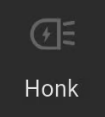
③ The vehicle will flash its lights and emit a prompt tone.
TIPS:
If the vehicle’s network signal is weak and remote locating cannot be used properly, enter the area where the vehicle is parked. After successfully connecting via Bluetooth, you can use the APP to Honk