Sensing Unlock
Sensing Unlock:
No need to carry your keys anymore — simply approach the vehicle and it unlocks. Super convenient.
Setup Steps:
① Approach the vehicle, turn on your phone’s Bluetooth, and open the APP.
② Go to the [Control] section and check whether Bluetooth is connected in the upper‑right corner.
③ After Bluetooth successfully connects, scroll down to enter the [Sensing Unlock] interface.
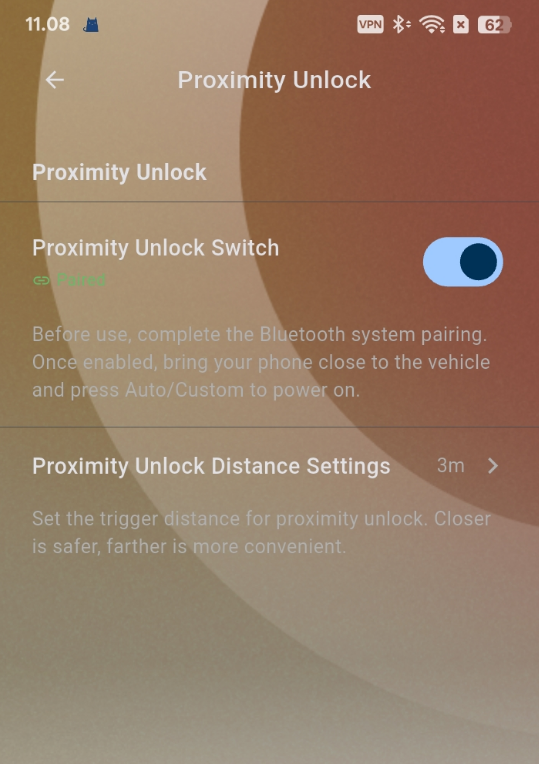
④ Find the [Proximity Unlock Switch] option and swipe right to turn it on.
④ Follow the APP prompts to complete Bluetooth pairing process.
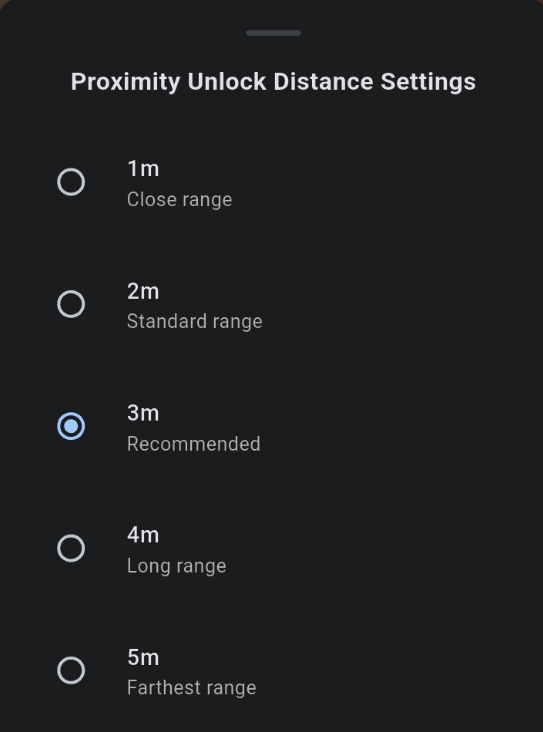
⑤ Set the Bluetooth sensing distance according to your daily usage habits. 1m is the shortest distance, 5m is the longest.
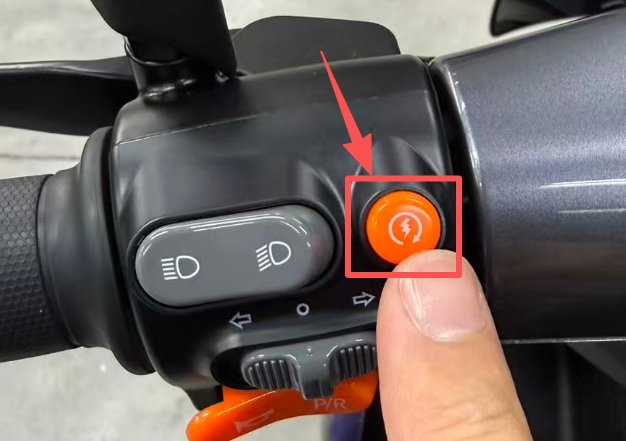
How to use the Sensing Unlock function:
① After successful setup, keep your phone’s Bluetooth turned on, your phone will be your virtual key now.
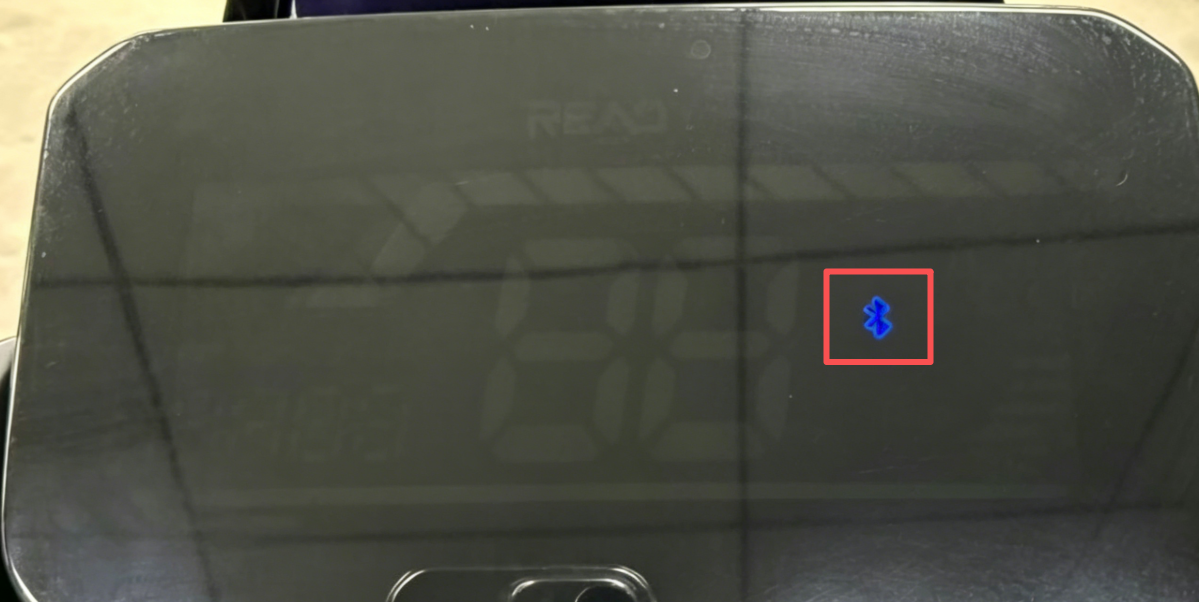
② When you approach the vehicle carrying your phone , the vehicle will intelligently sense the phone and light up the Bluetooth light as a prompt:
③ Long press the power button to power on.