D66I · Smart Dashcam
Add Dashcam
① Power on the vehicle.
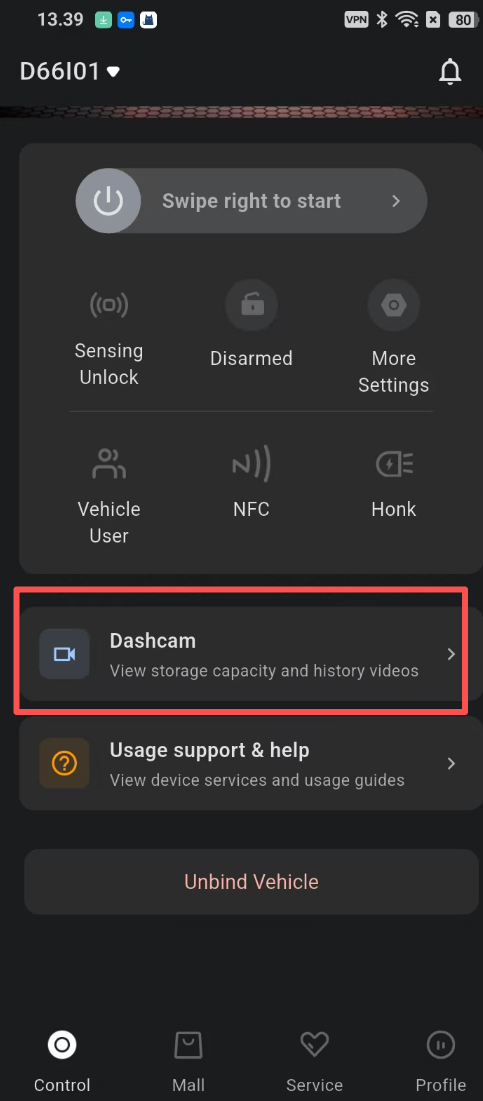
② Open the APP, go to the [Control] page, scroll down to find [Dashcam], and tap to enter.
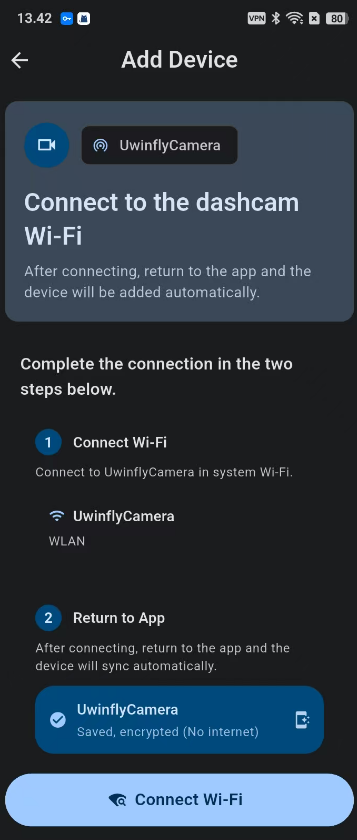
③ Tap [Add Dashcam].
④ Tap [Connect WiFi], search for nearby WiFi signals, find the “UwinflyCamera” hotspot, and connect manually.
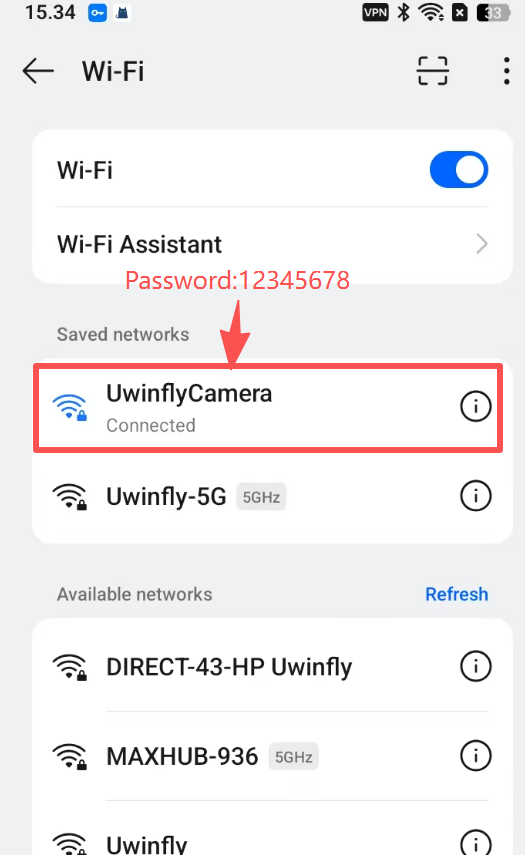
TIPS: The default WiFi password is 12345678.