M135H · APP Vehicle Control
APP Disarming
APP Disarming User Guide:
Remote disarming — safe and convenient.
User Guide:
① After successfully binding the vehicle, open the APP, go to the [Control] section, and check whether the vehicle’s 4G network status or Bluetooth connection status is normal.
② When the vehicle’s network connection is normal, tap the [Disarmed] button.
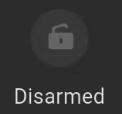
③ The vehicle exits protection mode. You can push or move the vehicle without triggering any alarm.
TIPS:
If the vehicle’s network signal is weak and remote, disarming cannot be used properly, approach the vehicle. After successfully connecting via Bluetooth, you can use the APP’s disarming function.