Cell Voltage and Temperature monitoring
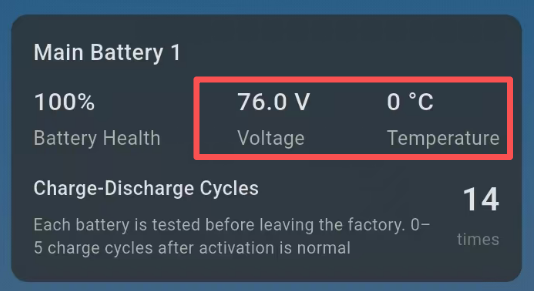
Battery Voltage and Temperature Monitoring:
Real-time monitoring of battery voltage and temperature ensures the battery operates within a safe range, preventing overcharging, over-discharging, and overheating risks.
How to View:
① Open the APP and go to the [Control] section.
② Ensure the vehicle is equipped with a Cloud Box and connected via 4G.
③ Tap the battery level icon to enter the [Battery Detail] page.
④ On the battery details page, you can view the current battery voltage and temperature data.
Value of the Feature:
Voltage Monitoring: Assesses whether the battery charge is balanced and prevents voltage abnormalities.
Temperature Monitoring: Detects overheating risks in time to ensure safe charging and riding.
TIPS:
①Cloud Box must be installed to obtain this feature