Subscription Fee
New cloud box purchases include 1 year of free data service.
How to check the expiration date:
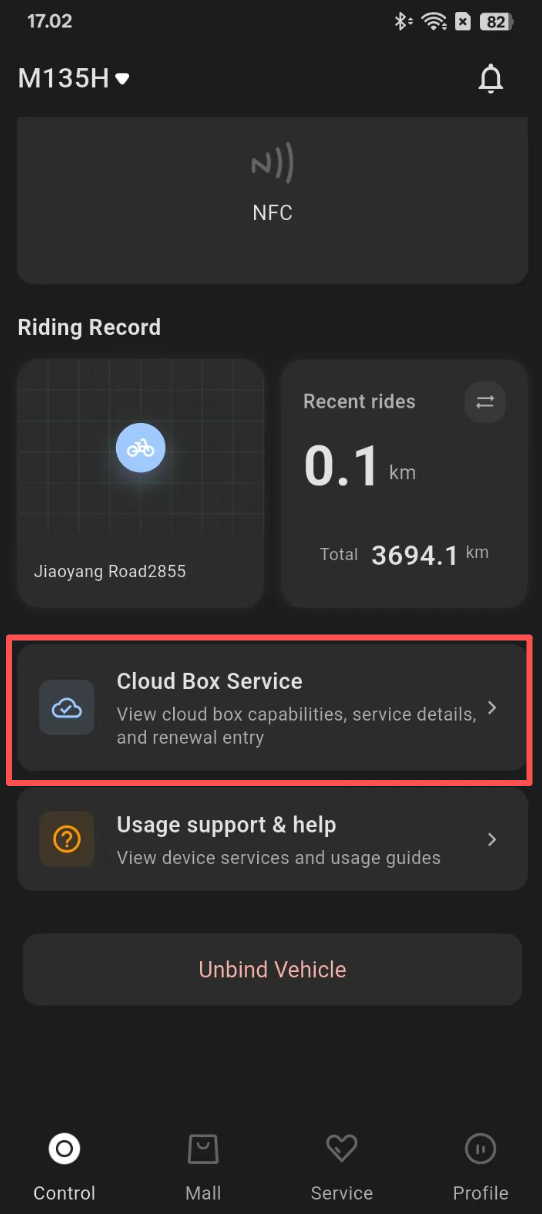
①Open the Uwinfly APP. Scroll down to find [Cloud Box Service] and tap to enter the cloud service details menu:
② Check and verify the cloud service validity period and other information.
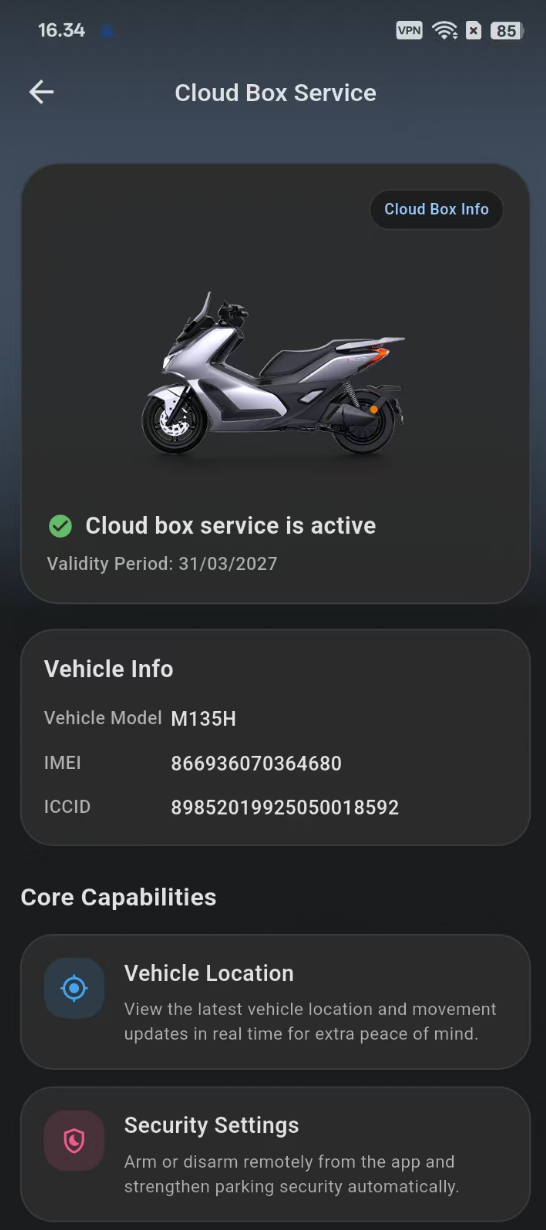
③ Tap [Contact Customer Service] or [Renew Now] to proceed with the payment and select a renewal package.
④ After successful renewal, network‑based functions such as positioning, tracking, and remote power on/off will be automatically restored.
IMPORTANT REMINDER:
① If not renewed within 20 days after the service expires, the SIM card inside may be deactivated.
If the service remains unrenewed for more than 20 days after expiration, due to carrier policies, the built‑in SIM card in your Cloud Box will be deactivated, and this Cloud Box can no longer be renewed. A new Cloud Box will need to be purchased and activated, and any loss incurred from replacing the Cloud Box must be borne by the user.
② After the data service expires, related functions will be discontinued.
If you choose not to renew, functions that do not rely on cloud servers – such as NFC card unlocking, Bluetooth unlocking, and password unlocking – will still be available.