Power-on Password
Power-on Password Settings:
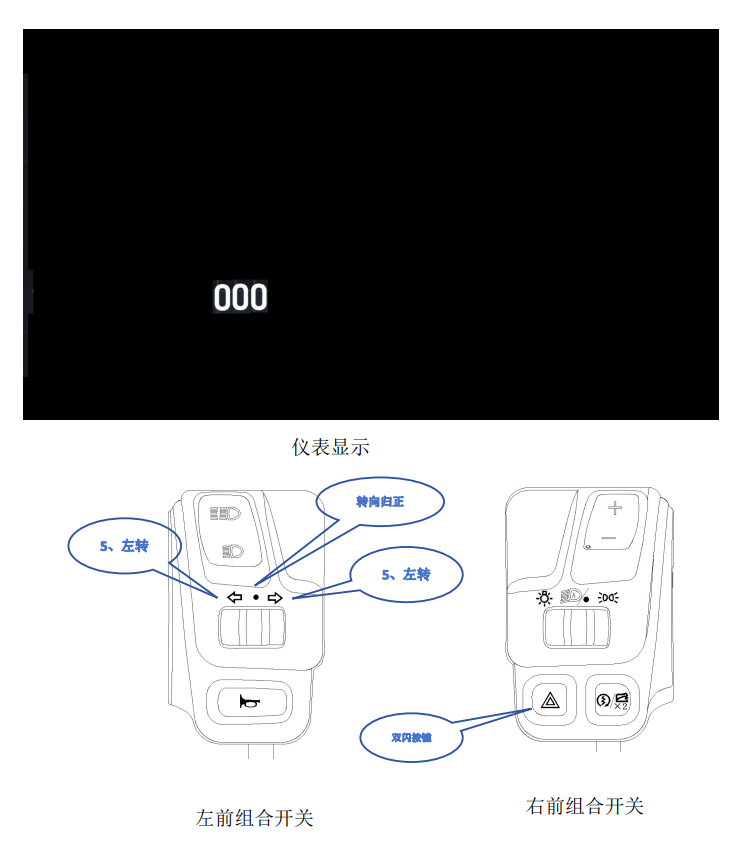
You can set a 3-digit power-on password for your vehicle. After successful setup, you can enter the power-on password on the instrument panel using the handlebar buttons to unlock the vehicle directly.
Setup Steps:
① Approach the vehicle, turn on your phone’s Bluetooth, and open the APP.
② Go to the [Control] section and check whether Bluetooth is connected in the upper‑right corner.
③ After Bluetooth successfully connects, scroll down to enter the [More Setting] interface.
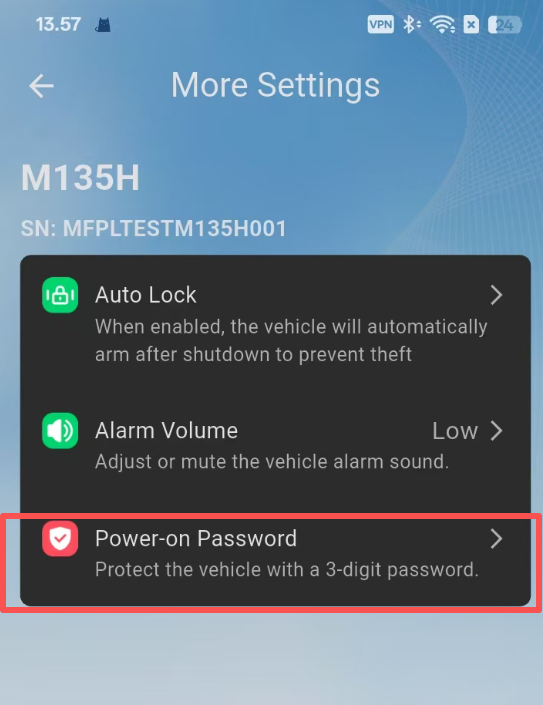
④ Scroll down to find the [Power-on Password] option and tap to enter the settings page.
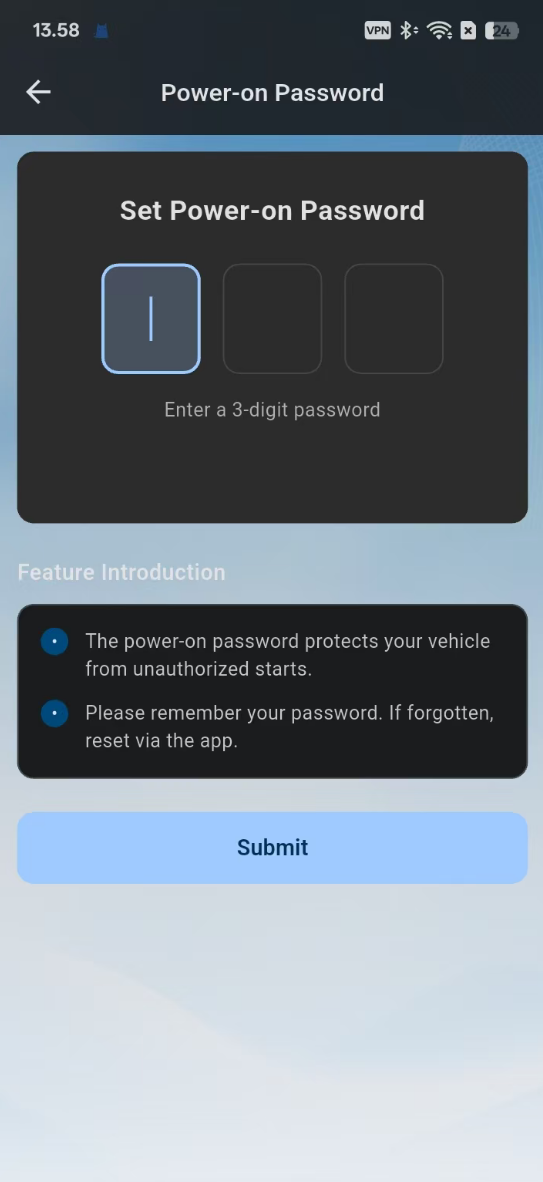
⑤ Follow the prompts to enter a 3-digit power-on password in the APP, then tap the [Submit] button to save.
⑥ After successful setup, the power-on password will be stored in the instrument panel.
TIPS:
① This function is only available to the vehicle owner’s account.
How to use the Power-on Password on the vehicle:
When going to ride, you can choose to enter the power-on password on the instrument panel using the handlebar buttons to unlock the vehicle directly.
① Enter password mode:
When the vehicle is locked, press and hold the [Hazard Light] button for 5 seconds to enter password mode.
② Input the power-on password:
Press the [Left Turn Signal] button — moves the cursor left by one digit.
Press the [Right Turn Signal] button — moves the cursor right by one digit.
Press the [Turn Signal Cancel] button — increases the current digit by 1.
③ Confirm:
After entering the password, press and hold the [Hazard Light] button for 2 seconds to confirm.
④ If the password is correct, the vehicle will power on and unlock immediately.